Cybersecurity

Cybersecurity

5 Cybersecurity Steps all San Francisco Bay Area Business Owners Should Take

From making sure that nobody is doing Zoom calls in their bathrobe to ensuring that work actually gets done on time, you’ve got a few extra things to worry about as a San Jose area business owner these days. Chief among those new concerns, however, should be cybersecurity. Cybersecurity steps are one of those painful, annoying topics that nobody wants to think about in a small business environment (kind of like *ahem* taxes and accounting) … but one that rears its head as a terrible, business-killing beast when left unattended. There’s an entire slew of “information security” concerns that may not have been top of mind back when all the files and sensitive data were locked up nice and tight back at the office, but should be at the forefront now for all San Jose area business owners. Before we dive into that, though, a quick reminder on an important business tax deduction… As your favorite San Francisco Bay Area restaurants re-open, don’t forget that recent stimulus legislation bumps the business meal deduction all the way up to 100% for both takeout meals and meals consumed at the restaurant. If you’re traveling for business or take a customer or prospect out to eat, that totally counts. What doesn’t count are prepackaged foods, such as prepared sandwiches and wraps, that are purchased from places like San Jose area convenience stores. During that customer meeting at your favorite local eatery, let’s delve into some important tips that you should pay attention to before connecting to the restaurant wi-fi (among other things) … 5 Cybersecurity Steps all rea Business Owners Should Take“You may have to fight a battle more than once to win it.” – Margaret Thatcher Whether your San Jose area business is in full-on work-from-home mode, or your business is such that this is a totally foreign concept, the reality is that cybersecurity steps are something you absolutely need to address. Your office computers, employee laptops and tablets, cloud services (which can be accessed remotely), and even company cell phones all have an insane amount of information on them that hackers would love to get their digital hands on. Along with customer credit card numbers and employee SSN’s and DOB’s, your digital records contain a wealth of valuable information. Even something as seemingly innocuous as customer estimates and invoices can look like hidden treasure to the world’s digital pirates. Taking basic cybersecurity steps is cheap protection against potentially embarrassing and expensive data breaches. If you do have employees working remotely, it’s your responsibility to protect customer and employee data. Just like the IRS sets minimum requirements for us to protect YOUR private information, you should also set minimum standards for cybersecurity in your own business. A recent study by Shred-it (business document destruction company) stated that a whopping 96% of American consumers consider a business’s employees to be the largest risk factor for a data breach. So, how do you put your San Jose area customers at ease, do the right thing, and help prevent data breaches and ensuing expensive lawsuits? Step 1: Have a Written PolicyThe first of the five cybersecurity steps you need to do in order to protect against data breaches is to have a written policy at your San Jose area company about data security. You need to put rules in place that both protect data and prevent your employees from taking shortcuts that put valuable information at risk. For example, you’ll want a policy that covers minimum password complexity as well as a process in place for ferreting out all those “abc123” and “password” passwords. Your written cybersecurity policy should outline the basic things your staff should do to keep things secure. Be sure that your policy includes the use of proactive defenses like anti-virus/anti-malware scanners, drive encryption, and software firewalls. You’ll also want to specify what software programs and apps are okay for your employees to use when accessing company information. Step 2: Use Secure ConnectionsUsing secure connections is the next one of the cybersecurity steps to take. One of the most common ways that criminals access company data is when employees are using unsecured, public Wi-fi networks, and that includes those in San Jose area. Even if they’re at home, most people don’t properly secure their home routers. It is essential to provide some level of technical support, at company expense (deductible, of course!), to help at-home employees secure their Wi-fi connections. You should also consider subscribing to a secure VPN service. These services are affordable and provide a secure “tunnel” between an employee’s home internet and your business network. Make sure to choose a service that uses top level encryption across the entire span of that “tunnel.” Step 3: Use Password ManagersOf the many cybersecurity steps you should take, this might be the most important one across the board. Weak passwords (remember “abc123”?) are everywhere. This tends to be one of the weakest links in cybersecurity, especially for small San Jose area businesses. With all the services and software that your business runs on these days, your employees likely have a metric boat load of passwords that they can’t possibly remember. Which means they are probably “recycling” their passwords. (Yeah, that’s not a good thing.) While choosing more secure passwords is a good starting point, it may be worth investing in a password manager for every member of your team. Tools like LastPass and 1Password are very affordable and go a long way with helping your employees create secure, unique passwords for all the services they need to access. Step 4: Use 2-Factor AuthenticationTwo-factor authentication (or 2FA as the cool kids call it), adds a layer of security on top of passwords. Even if a password gets hacked, 2FA is one of the very difficult cybersecurity steps to hack. 2FA requires that you enter a code to access an online service. This code can be sent as a text message to an approved cell phone or can use a special security fob that shows a number
Business Growth, Cybersecurity

Ransomware Defense Steps to Protect Your San Francisco Bay Area Business’s Computer Systems

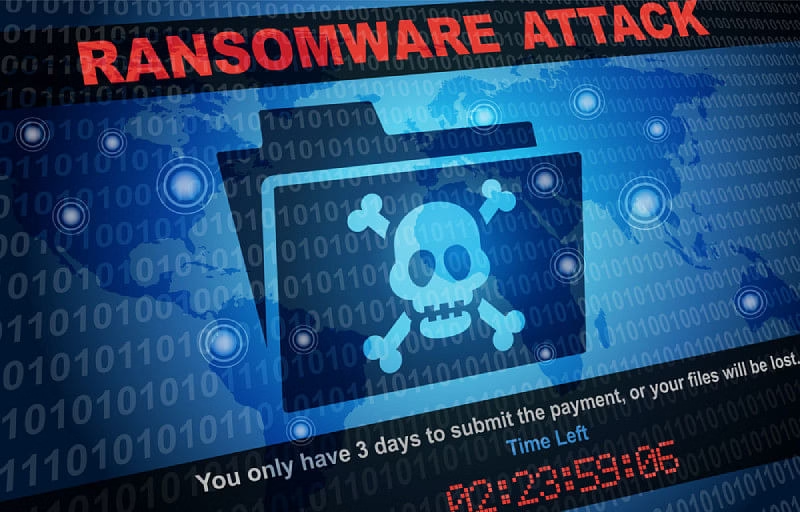
No matter your line of work, your computer might be one of your most glaring vulnerabilities … and it’s one that too many San Francisco Bay Area business owners I’ve worked with don’t fully address. Even if you work with your hands, and you’re a sole practitioner (a contractor, a landscaper, a mechanic, etc.) … the little computer in your HANDS might hold the keys to your business. And whether you care to think about it or not, there are bad actors out there who want to break into it. One of the ways they are increasingly doing this is a nasty little thing called ransomware. So, as someone who cares deeply about YOUR business in its every dimension, I wanted to take a few minutes to give a rundown of known culprits and their recent attacks, as well as some ransomware defense steps, to help combat any possible breach of your San Mateo business’s data. (And yes, I’m keeping a sharp eye on the doings in Washington as it relates to this infrastructure bill … as of this writing, it has NOT yet been signed — but when it is, I’ll address what business owners need to know). Ransomware Defense Steps to Protect Your San Francisco Bay Area Business’s Computer Systems“You can never be too prepared.” -Regina King Let’s hear it straight from the FBI: Ransomware is malicious software (“malware”) that blocks you from accessing your computer files, systems, or networks and demands you pay a ransom for their return. You can download ransomware without even realizing it by opening an email attachment, clicking an ad, following a link or just visiting a website that’s embedded with malware. You usually discover the attack when you can no longer access your data or you see computer messages demanding ransom. Headline hacks A recent report showed that in 2021, a ransomware attack against businesses will occur every 11 seconds. Cybercrooks carry out more than 4,000 ransomware attacks every day worldwide. The big targets are companies in legal, manufacturing, automotive, technology, and healthcare industries. (The first documented ransomware attack, in 1989, targeted the healthcare industry.) Often the crooks don’t get the sky-high figures they demand, but on average organizations pay a ransom of nearly a quarter-million dollars. Ransoms are usually paid in virtual currency. Earlier this year, Colonial Pipeline coughed up millions to cybercriminals who’d hacked the oil giant’s network and sent East Coast fuel supplies into a tailspin. And only last week, the global consulting firm Accenture was attacked by the LockBit ransomware gang. A few cybercriminal gangs are behind many big attacks, such as the increasingly infamous REvil criminal gang of Russia (responsible for Colonial and for JBS Foods, which was attacked this summer and had to surrender an 8-digit ransom). Another nasty bunch is Egregor, which has connections to Ukraine and has cyber-extorted Barnes and Noble, Kmart, and others, sometimes publishing customer data on the dark web. Think you’re too small to get hit? About six weeks ago, a global chain reaction affecting thousands of businesses from pharmacies to grocery stores started with a back-door hacking of a common American software that all those businesses used. This shows that your business may be vulnerable in ways you don’t even realize. Ransomware defense steps you can takeIt could be only a matter of time before you and your San Mateo business have to deal with this crime. And a ransomware attack can really hurt your business, costing you both dollars and customer confidence even if you don’t pay a ransom. – Your best first ransomware defense is common sense. Download or open nothing you’re unsure of. – Keep your operating systems, software, and apps strong and updated, and make sure your anti-virus and anti-malware defenses are set to automatically update and scan your systems regularly. – Backing up data remains critical. Whether you use external media like thumb drives or back up in the cloud, double-check that those backups were completed. (Note: If you do back up using a cloud solution, you may be worried about the tech company being hacked. That’s a legit concern, but agreements with these companies often include responsibility clauses in case of a cyberattack. Check your contract. Also, cloud companies often have firewalls and other security far superior to what your company might be able to afford.) – Layout a plan for your company’s response to a cyberattack. Details here include who on your staff will be notified, as well as when and how; how to contact your insurance company and law enforcement; and prepared language to notify customers. (Most companies have used phrases citing their regret for the attack and that they moved quickly to address it.) – If you speak to your insurance carrier about coverage for a ransomware attack, expect a lot of questions about your cybersecurity – and talk of higher premiums. The insurance industry is still pretty new to this particular risk. It happened anyway – now what??You come into work one morning and find your data locked and some foul-looking screen telling you to fork over a ton in Bitcoin if you ever want to see your business info again. Don’t panic, for starters. Don’t believe this cyber-danger will simply go away. If we can offer any help on protecting yourself, please let us know. Besides providing some ransomware defense steps, here’s what we are EVEN better at helping you with: protecting your business from financial vulnerabilities. Whether that’s leaky books or a future tax-related disaster … we can spot problems coming from a mile away. If that’s something you want in your corner, let’s chat about it:(408) 241-4100  To your bottom line, Patti ONeill and Gale Bergado(408) 241-4100ONeill & Bergado

Business Growth, Cybersecurity

Cloud Computing Benefits and Risks for San Francisco Bay Area Businesses to Consider

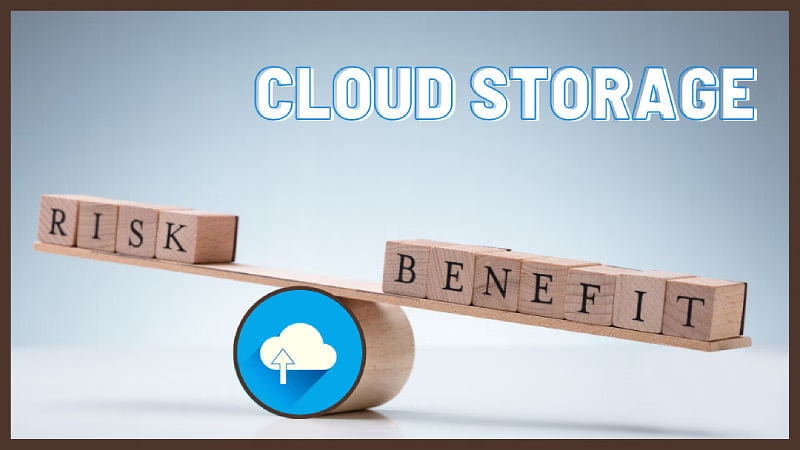
In the olden days, San Francisco Bay Area business owners kept track of their records by hand in the old reliable notebook or ledger. So what an innovation it must have seemed to move business information to a floppy disk that could plug into a computer. The disks got smaller (and a lot less floppy – thankfully), but the idea fundamentally remained that be it floppy, hard drive, thumb drive, or even your own server, your customer and other business data were where you could locate it, most likely right on your premises. I personally know of many businesses that invested quite heavily into onsite server architecture and maintenance so they could keep up with the ever-increasing piles of DATA. Then, all of this was overshadowed by the cloud… Let’s take a look at cloud computing benefits and risks… Cloud Computing Benefits and Risks for San Francisco Bay Area Businesses to Consider“Saying that cultural objects have value is like saying that telephones have conversations.” -Brian Eno Basically, storing data in the cloud means uploading it via the internet to a third party’s electronic storage. You access the information there any time you want and somebody else has the worry of keeping your information accessible and safe. (“Cloud” supposedly comes from a cloud symbol to represent the internet on flow charts half a century ago.) Think of the cloud like a utility. You pay somebody to deliver electricity to your office even though you could try powering the place yourself with your own generator. As long as you keep the generator running, you’ve got power and are able to remain independent of using an outside provider. But suppose a fire or a flood destroys your generator? Out go the lights. Substitute “server” or “on-premises hard drive,” and that same flood or fire destroys your data. Who wouldn’t want to mitigate that risk? But as with all risk management, there are plusses and minuses – and that is also true of using the cloud. So, let’s talk about some cloud computing benefits and risks for San Francisco Bay Area business owners. The good points No hardware headaches. Storing data takes expensive hard drives and other hardware. All you need to store data in the cloud is an excellent internet connection (and of course a good computer – which you’d need even if you didn’t use the cloud). Providers by their nature must have the best equipment; costs of maintenance and repair also flows to them. Scalability becomes easy from your perspective, and, despite startup costs, long-term savings can also add up as you pay only for the cloud services you use. Just make sure upfront that it’s clear what services you’ll be able to use. Work on the run. Anytime access means you and your staff can work on business data anywhere from any device — which also means improved productivity. Support system. With the right cloud provider, you just hired a first-rate tech department. Most services have help available to you 24/7 – and because providing service to many clients is the providers’ bread-and-butter, their IT people are generally really good. Similarly, the cloud provider also must handle all the outage dangers and security updates (see below). They usually have a lot of backup servers in different locations to guard against downtimes and disasters. Risky business. If you’re leaning toward cloud storage, this can be the clincher: The provider has the burden of security. The one who’s really hurt most by a hack, the provider, will and can invest more than you in firewalls, encryption, backup servers, and other cutting-edge cybersecurity. Now for some cloud computing risks… Troublesome questions Bad connections. As I said,to access your cloud service, you’ll need an internet connection. Break that link for whatever reason, and you can’t get to your data – and this “downtime,” even for a short period, can cause a lot of pain. Control issues. Having someone else oversee and maintain the cloud infrastructure that houses your data can make you feel you’ve lost control. You populate the infrastructure but have little administrative control over how the data is stored. How easy is it going to be to migrate your data? Are you subject to vendor lock-in? Spotty support. That top-notch tech crew we talked about: Do you have access to them or are you expected to first try endless FAQs and online DIY fix-its? Security. Do you really want someone else guarding your data, even if their controls, firewalls, and other security measures are probably far superior to yours? Research does show that most data breaches and cyberattacks come down to customers’ mistakes and human error, so the provider can probably take good care of your data. But what if they can’t? Who’s liable? What are the damages and coverage? For that matter, what happens to your data if your provider is acquired by another company? Have these matters spelled out in your contract ahead of time. Sending your data to the cloud is appealing, but it also comes with some catches. And before you up the ante on storing your business data, you’ll want to think through some of these cloud computing advantages and risks. If you want some help with making the right decision for your San Francisco Bay Area business, let us know. Another thing we can help you with is protecting your business from financial vulnerabilities. Whether that’s leaky books or a future tax-related disaster … we can spot problems coming from a mile away. If that’s something you want in your corner, let’s chat about it: Patti (408) 241-4100  Gale 408-775-7800 To your bottom line, Patti ONeill and Gale Bergado(408) 241-4100ONeill & Bergado

Business Growth, Cybersecurity

Why Your San Francisco Bay Area Business Needs Cyber Insurance

In today’s online-driven world, it’s no surprise that securing sensitive information is essential. Just like you cover your San Francisco Bay Area business for other possible risks (property damage, theft, injury, etc.) so should you also be thinking of how to keep your business safe from virtual attacks. And lest you immediately think: But – my business is completely different! Well, read on. Data breaches are rampant these days (In fact the IRS just had one. Yikes!). So, it just makes good sense to put protocols into place to prepare.  And there is one specific way to prepare that I want to talk about today. Now, with the 3rd quarter estimated tax deadline around the very near corner (9/15) as well as the corporate deadline – which is looming very large for us right now – I also want to make sure we are in good communication about anything on your end that we need to know to help you. Let me know if we need to talk: (408) 775-7790  And to continue looking out for you, I’d also like to get into what you can do to pad your San Francisco Bay Area business in terms of protecting your technological assets… specifically, a little something called cyber insurance. Why Your San Francisco Bay Area Business Needs Cyber Insurance“Passwords are like underwear: You don’t let people see it, you should change it very often and you shouldn’t share it with strangers.” – Chris Pirillo The computers suddenly slow to a crawl. Customers start complaining they’re getting nonsense emails from your address. Out of nowhere, your system is telling all your employees to reset their password. And the biggie: You try to open a file and are told in big letters they’re now ENCRYPTED.  Congratulations: You’ve most likely been cyberattacked. What started in recent years with headline breaches of big boys like Facebook, Yahoo, Uber, and Target has become so common now that a whole industry has grown up to insure companies against these hackings.  What is cyberattack insurance – and how do you shop for it?  What have you got to lose? Maybe it’s been a while since a household name in this country was cyberattacked, but maybe that’s also because the attacks are getting routine. Toward the end of last year, 1 in every 61 organizations the world over was hit by ransomware each week. The U.S. remains a top target.  What does the insurance industry think of this, well, mess? As you probably know, with business insurance, “exposures” translates into how often a business is susceptible to risks that can cause loss and in turn affect premiums. In terms of cyberattack, do you have a lot of customer data? A breach in that case could mean big liability to an insurance provider.   You should start your insurance shopping by assessing what the insurer’s going to have to pay for if you’re breached. How is your data stored? If electronically, how’s the security of your system? Do you use a cloud provider?  How do you back up your files? How often? Where are the backups kept? Do your employees take laptops out of the office? (That last one’s very common – and some companies don’t think about it until it’s too late.)  The average small business has to pay well into the five figures to recover from a cyberattack – if not more. What you’re shopping for Your standard business liability insurance either doesn’t protect you at all in the event of a cyberattack or gives you only barebones coverage. Not enough.  Cyber insurance generally comes as either first-party coverage (which helps you get your own network and systems back) or third-party coverage (to help clients, customers and partners hurt by the attack on your system).  Your policy should cover data breaches, cyberattacks, ransomware extortion, and terrorist acts. You should also see if the carrier will defend you in a lawsuit or regulatory investigation (look for “duty to defend” in the fine print) or provide coverage that exceeds other insurance you have.  Coverage usually addresses:  Loss of data. Your business policy typically covers your computer equipment but not the information that the equipment contains… Data that these days is even more important to keep your company running.  Business interruption. Ransomware hackers love to freeze computer systems. How much money would you lose if you were dead in the water for a day? A week? A month?  Investigation and notification costs. Depending on your industry, various federal and state laws require you to notify customers of data breaches. (You may even have to comply with the laws of every state where your customers live.) And you’re almost certainly going to need an outside cyber-forensic expert to drill down into what happened. Insurance can also help pay any fines or penalties you get hit with.  Legal costs. Expert counsel is key – and often expensive – in this field of liability.  PR costs. Brand rebuilding is pricey – and your reputation may need some TLC after your cyberattack hits the news.  Cyber insurance runs about fifteen hundred bucks a year, but the devil is in such details as your type and size of business and of course the deductible, among many others.  Whose market is it, anyway? As cybercrooks evolve and get craftier (latest scam: bogus offers of COVID training for employees), insurance carriers are getting pickier about who and what they’ll cover. Carriers – including Lloyd’s of London – are growing increasingly wary of policies for protection from state-sponsored hacking.  Typically, carriers also won’t cover you if you have clear holes in your security before a breach occurs. They also often won’t reimburse you for future profits you lose from a cyberattack or even the costs of fortifying your systems against attacks down the road.  Ask about “social engineering” attack coverage. This is when your employees follow instructions from fraudulent emails or other electronic communication. It’s technically not a system breach, so you’ll probably need a special rider to cover it.  Your other questions for carriers:  While it seems you’re paying

Cybersecurity

Prioritizing Cyber Network Security in Your San Francisco Bay Area Business

A few things are grabbing my attention this week. The first being that the tax extension deadline has passed. That’s a big relief for my office, and perhaps for yours too.  I’m continuing to avidly watch, as I’m sure you are too, the unfolding events in Gaza. Though Biden issued a back-channel warning to Iran about not joining in the conflict, the possibility of a larger scale war looms. Economically, that affects gas prices and other factors of the global economy. Then there’s the national budget deadline and the Congress’s gridlock over finalizing it.  It’s more important than ever to keep your San Francisco Bay Area business doings sharp right now. I’ll be here to keep you informed on how bigger happenings will affect your business… and to help you thrive through it.  All of these headlines probably dominated your attention, and rightfully so, but there’s something else happening in October to give attention to: Cybersecurity Awareness Month. That might make your stomach twist, thinking through all you need to be prepared for within a budget. It can be daunting to know where to allocate funds for a pressing need that is so frequently changing and developing. Because my office handles so much sensitive data, you better believe this is something we monitor and update systematically.  Business spending for cyber network security is up 70 percent over the past four years, though that number has started trending downward and recent security company layoffs confirm this. But recently issued SEC rules regarding the reporting of data breaches by public companies (more on that shortly) reemphasizes the importance of regularly addressing our own cyber network security measures as business owners. So let’s talk about budget building for your cyber network security plan.  Prioritizing Cyber Network Security in Your San Francisco Bay Area Business“The best investment you can make is in yourself.” ― Warren Buffett There are new rules from the SEC regarding the reporting of data security breaches that go into effect December 15, 2023. While those rules primarily target public companies, small and private companies should know what’s being required as they review their own cyber network security measures, especially since the SEC has shown a willingness to extend its regulatory reach to private companies when it comes to cybersecurity. Basically, companies need to assume that they might face real cyber network security threats and breaches. And when they do, they have to tell the SEC about it within four business days if it’s a significant incident. Plus, U.S.-listed companies also have to share information about how they handle cybersecurity in their yearly reports. With all of this in mind, let’s discuss how to build a cyber network security budget for your San Mateo business. Making a budget When building (or assessing) a budget, know that there are three basic areas that drive the needle: software and hardware, ongoing security services, and in-house training for employees. Of course you want top-notch protection for all your important stuff, but the reality is that you probably can’t afford it all. This is why budget planning is so crucial – it decides how much you can spend and where you should spend it. Here’s a simple exercise: First, make a list of all your important assets. Then, think about how vulnerable each of them is to potential threats. In other words, figure out which assets are more likely to be a security risk. Assets that are both high-risk and critical to business operations should get the lion’s share of your cyber network security budget. On the flip side, if something is low-risk and not that critical, you can allocate less money to protect it because the chance of a cyberattack is lower there. And don’t forget a line item for incident response and recovery. Factoring actual costs Cybersecurity costs can vary a lot, and here’s why: Saving money where you can Despite all the costs, there are inexpensive but high value measures you can put in place. Now, I get it, not all of these budgeting decisions will be crystal clear. So, it’s a good idea to team up with your Chief Information Security Officer and accountant (that’s me) to figure out what makes sense within your budget constraints. Reach out to talk through your budget potential in light of your particular needs:(408) 775-7790 Secure your assets and your future. Patti ONeill and Gale Bergado

You have been successfully Subscribed! Ops! Something went wrong, please try again.

Contact Details

Our Most Requested Services

Quick Links

Importaint Link

Scroll to Top